Top Ways to Fix Common Golf Cart Problems?

Time:2026-10-20 Author:Isabella
0%

Golf carts often reveal problems through small, noticeable changes: slower starts, clicking relays, dim lights, or uneven braking. Real-world maintenance shows that these symptoms can have several causes. A weak battery may resemble a faulty charger. Loose terminals can imitate a failed motor controller. Careful observation matters.

This guide explains How to fix common small problems with golf carts using practical, low-risk checks. Begin with the owner’s manual, then park on level ground and switch off the key. Inspect battery cables for white corrosion, cracked insulation, or loose connections. Check tire pressure with a gauge, not by pressing the sidewall. Test the charger connection and look for damaged plugs. Small details matter.

Safety comes first.

Do not bypass fuses, safety switches, or charging protections. These parts exist for a reason. Brake, steering, and high-voltage battery concerns deserve qualified service. A clean battery terminal may restore power, but it will not repair a worn solenoid or damaged controller. That distinction is easy to miss. Sometimes, an early guess is wrong.

The most reliable troubleshooting combines visible evidence, simple testing, and accurate records. Note when the problem appears, whether the cart is cold or warm, and what sounds change. Avoid replacing expensive parts based on one symptom. A thoughtful diagnosis can save money, prevent further damage, and keep every ride controlled and dependable.
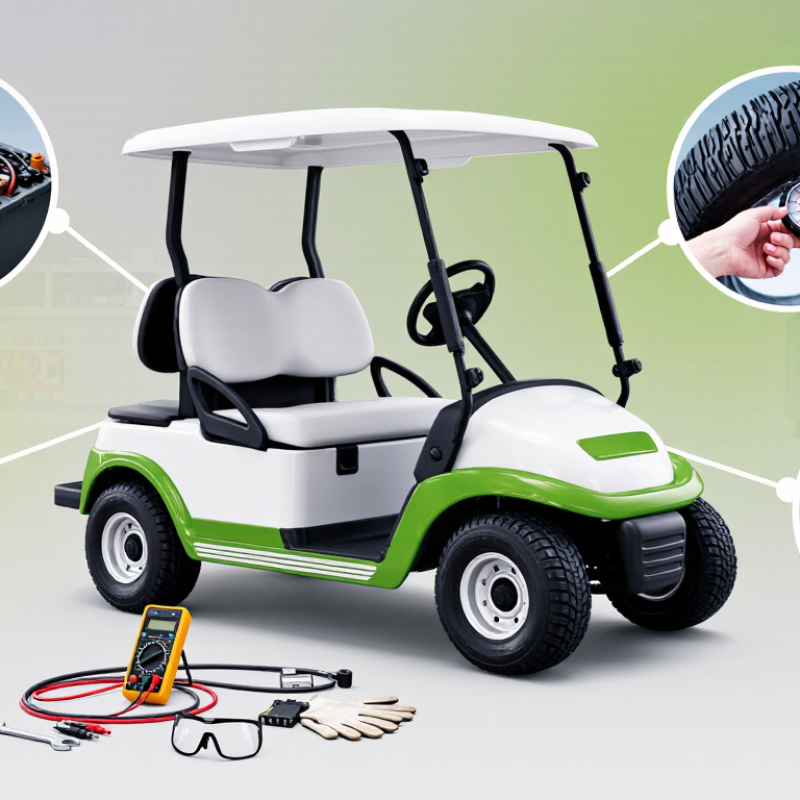
Top Ways to Fix Common Golf Cart Problems?

Identify the Golf Cart Problem and Follow Basic Safety Steps

Before repairing a golf cart, identify the symptom instead of guessing. A clicking sound may indicate a weak battery, loose cable, or starter-control fault. Slow movement can involve low charge, poor connections, brake drag, or tire pressure. Record when the problem appears. Note warning lights, unusual smells, vibration, and recent impacts.

Park on level ground. Set the parking brake, switch off the power, and remove the key. Keep hands away from moving parts. Wear eye protection and insulated gloves near batteries.

Damaged battery cases, swollen cells, acid residue, or frayed cables require professional inspection. Never bypass a safety switch just to make the cart move. That shortcut can hide a serious failure.

The U.S. Consumer Product Safety Commission’s staff report, Golf Cart-Related Injuries and Deaths, 2011–2020, estimated 156,040 emergency-department-treated injuries and 745 deaths.

Those figures make basic checks feel less optional. ANSI/ITSDF B56.8-2021 also emphasizes controls, braking, steering, and operating safety for personnel and utility transport vehicles.

Check tire inflation, brake response, steering play, and charger damage before driving. A cart that starts is not automatically safe. I sometimes see owners focus on the battery first, while ignoring a soft brake pedal or loose wheel. That is an easy mistake, and it deserves a second look.

Inspect the Battery, Charger, and Electrical Connections

A weak golf cart often starts with the battery, not the motor. Check each battery case for swelling, cracks, corrosion, or a sharp sulfur smell. Flooded lead-acid batteries need distilled water after charging, not before. The liquid should cover the plates without reaching the cap. Battery Council International reports that lead batteries achieve a recycling rate above 99% in the United States. That figure reflects recovery, not battery health. A recyclable battery can still deliver poor power.

Use a digital multimeter before replacing expensive parts. Measure the pack after charging, then test again while pressing the accelerator. A large voltage drop suggests sulfation, a weak cell, or a loose terminal. Inspect the charger plug, receptacle, fuse, and cable ends. They should feel firm and remain cool. Heat marks matter. The U.S. Department of Energy’s Alternative Fuels Data Center explains that charging losses occur in both the charger and battery, so the displayed energy is not fully stored. I once blamed the charger too quickly; a loose negative cable caused the real fault. That mistake was costly. Clean corrosion with the power disconnected, tighten connections carefully, and replace damaged cables rather than wrapping them with tape. Examine the ground path as well. Many intermittent faults hide there.

Golf Cart Electrical Troubleshooting: Full-Charge Battery Voltage References

These are approximate open-circuit voltage readings for common lead-acid golf cart battery packs after charging and resting. A reading well below the reference level may indicate a weak battery, poor terminal connection, an unsuitable charger, or a charging-system problem. Always verify the cart’s rated voltage before testing.

Troubleshoot Motor, Solenoid, and Starting Failures

When a golf cart refuses to move, do not blame the motor immediately. A weak battery pack, corroded cable, or loose ground can create identical symptoms.

Park on level ground, switch off the key, and secure the cart before testing. Wear eye protection, and disconnect power before tightening terminals.

A silent motor often points to the starting circuit. Check the key switch, pedal switch, direction selector, and charger interlock. A multimeter can confirm whether control voltage reaches the solenoid.

If the solenoid clicks but the motor stays still, inspect its heavy cables and contact surfaces. A click is not proof of good current flow. Burned contacts may look acceptable but fail under load. I once focused too quickly on the motor and missed a loose negative cable.

Motor symptoms provide useful clues. Grinding, uneven rotation, or a hot casing may indicate worn brushes, damaged bearings, or restricted airflow.

Do not keep driving through overheating; repeated heat can turn a small repair into a costly failure.

If the motor runs only after tapping the pedal, stop and investigate instead of treating the symptom. Record voltage readings before replacing parts. Guessing saves minutes at first, but it often creates another fault.

A careful repair should explain why the failure occurred, not merely make the cart move again.

Fix Brake, Steering, Tire, and Suspension Issues

Brake, Steering, Tire, and Suspension Fixes

A golf cart can feel harmless, but braking and steering faults deserve immediate attention. A 2019 Pediatrics study using U.S. emergency-department data estimated about 15,000 golf-cart-related injuries annually. That figure supports a careful inspection, not casual troubleshooting.

Press the brake pedal slowly. It should feel firm and return smoothly. A soft pedal, grinding sound, or uneven stopping can indicate worn shoes, stretched cables, air, or damaged hardware. Disconnect power before adjusting mechanical components. I once treated a soft pedal as a minor adjustment. That was poor judgment.

Steering problems often begin with loose wheel nuts, worn tie-rod ends, or excessive play at the steering gear. Lift the front safely and rotate each wheel by hand. Movement at the rim can reveal a loose bearing or joint. Check it cold.

NHTSA field research has found roughly one in four road vehicles with at least one substantially underinflated tire. Golf-cart tires need their specified pressure, even at low speeds. Underinflation can create heat, heavy steering, and sidewall damage. Do not guess.

Suspension inspection needs a close look at bushings, leaf springs, shocks, and mounting bolts.

A cart leaning to one side may have a fatigued spring, uneven load, or bent component. Measure ride height on level ground before replacing parts. The wrong replacement can change handling. If the cart pulls, bounces repeatedly, or shows cracked mounts, stop using it until a qualified technician checks it. DIY repairs are useful, but confidence is not a measurement.

Test the Cart and Prevent Recurring Problems

A golf cart can appear healthy while hiding a weak battery, loose cable, or dragging brake. Test it cold, then test it again after a short drive. Check tire pressure, steering play, brake response, reverse function, and unusual motor noise. A simple voltage check under load often reveals more than a dashboard reading.

The U.S. Department of Energy’s 2024 Vehicle Technologies Market Report shows battery prices have fallen sharply since 2008, but battery performance still depends on temperature, charging habits, and maintenance. For lead-acid systems, inspect water levels only when the design permits it. Clean corrosion from terminals, tighten connections, and photograph damaged wiring before repairs. The U.S. Environmental Protection Agency reports that lead-acid batteries have a recycling rate near 100% in the United States. Safe disposal matters.

Drive over a familiar route. Note speed loss on slopes. Listen for clicking.

After testing, repeat the same checks weekly. Keep a small log with dates, voltage readings, tire pressure, and symptoms. The National Highway Traffic Safety Administration emphasizes routine vehicle inspection as a practical safety measure, even though golf carts operate at lower speeds. I once treated a slow climb as a motor problem; it was underinflated tires. That mistake cost time. Recheck the simple causes before replacing expensive parts. A qualified technician should evaluate repeated electrical faults, overheating, or braking changes.

Top Ways to Fix Common Golf Cart Problems? - Test the Cart and Prevent Recurring Problems

Common Problem Typical Symptoms What to Test First Practical Fix Prevention for Recurring Problems Priority
Cart will not start No movement, no motor sound, or only a clicking noise when the accelerator is pressed. Check the battery charge, main fuse, key switch, direction selector, and emergency disconnect. On a battery-powered system, measure the pack voltage with a suitable multimeter. Recharge or replace a failed battery, replace a blown fuse with the correct rating, and repair loose or damaged wiring. Do not bypass a safety switch. Inspect connections regularly, keep battery terminals clean, and test the cart after storage before carrying passengers. High
Weak acceleration or reduced speed The cart moves slowly, struggles on hills, or loses power under load. Check battery state of charge, terminal voltage under load, cable condition, tire pressure, brake drag, and motor temperature. Fully charge the battery, tighten or replace corroded cables, correct tire pressure, release sticking brakes, and have the motor or controller tested if the issue remains. Use the correct charger, avoid repeated deep discharge, maintain recommended tire pressure, and do not overload the cart. Medium
Battery does not hold a charge The charger finishes quickly, the cart has a short driving range, or the battery voltage drops rapidly during use. Confirm the charger is receiving power, check charging connections, inspect electrolyte level where applicable, and compare the voltage of individual batteries or modules. Clean secure connections and replace batteries that are swollen, leaking, damaged, or unable to maintain the required voltage. Use only batteries designed for the cart. Charge after normal use, keep batteries clean and dry, avoid leaving them fully discharged, and follow the battery maker’s maintenance schedule. High
Charger will not operate No charging indicator, charger shuts off immediately, or the battery pack remains at a low charge. Test the wall outlet, inspect the charging plug and receptacle, check pack voltage, and look for damaged cables, heat marks, or blown fuses. Repair or replace damaged charging components. If the charger overheats or repeatedly trips protection, stop using it and have it professionally tested. Keep the charger ventilated and dry, avoid extension cords that are not rated for the load, and clean the charging contacts. High
Motor overheats Loss of power, hot motor housing, burning odor, or automatic shutdown after extended use. Check for excessive load, brake drag, blocked airflow, worn cables, incorrect settings, and unusual motor noise. Allow the motor to cool, remove obstructions, correct brake or wiring faults, and replace damaged motor components when required. Avoid continuous operation beyond the cart’s rated capacity, inspect cooling areas, and investigate repeated overheating instead of repeatedly resetting the system. High
Brakes feel weak or the cart does not stop evenly Long stopping distance, pulling to one side, squealing, or a pedal that feels unusually soft or hard. Test the cart at low speed in a clear area. Inspect brake adjustment, cables, pads or shoes, drums, and parking-brake operation. Adjust or replace worn brake components and remove contamination. If hydraulic parts are fitted, check fluid condition and leaks. Perform a brake inspection before regular use, keep the system free of oil and water contamination, and do not operate the cart when braking is unreliable. High
Steering is loose or difficult Excessive play in the steering wheel, uneven response, vibration, or resistance when turning. Inspect tire pressure, tie rods, ball joints, steering gear, wheel bearings, and fasteners. Raise the front safely before checking for looseness. Inflate tires evenly, tighten approved fasteners, lubricate serviceable joints, and replace worn steering or suspension parts. Check steering components periodically, avoid potholes and impacts, and verify wheel alignment after suspension repairs. High
Uneven or rapid tire wear Visible wear on one edge, vibration, repeated loss of air, or reduced traction. Measure cold tire pressure, inspect tread and sidewalls, and check wheel alignment, wheel nuts, and suspension condition. Set the pressure to the tire or cart manufacturer’s specification, repair or replace damaged tires, and correct alignment or suspension faults. Check pressure before use, avoid exceeding the tire load rating, and replace tires when tread or sidewall damage makes them unsafe. Medium
Electrical accessories stop working Headlights, horn, display, USB outlet, or other accessories operate intermittently or remain off. Check the accessory fuse, ground connection, battery voltage, switch, and visible wiring for corrosion or loose terminals. Replace the correct fuse, clean and secure connections, and repair damaged wires. Use matching wire and fuse ratings for replacements. Protect electrical components from water, route wires away from moving parts, and inspect accessories after washing or wet storage. Medium
Unusual noise or vibration Grinding, clicking, rattling, whining, or vibration that increases with speed. Test the cart at low speed and identify whether the sound changes during acceleration, braking, turning, or coasting. Inspect wheels, suspension, gearbox, and motor mounts. Tighten loose hardware, lubricate serviceable points, and replace worn bearings, gears, bushings, or mounts after confirming the source. Follow the service schedule, keep fasteners tight, avoid overloading, and investigate new sounds before they become major failures. Medium
Cart pulls to one side The vehicle drifts on a level surface or feels unstable during braking. Compare tire pressure, inspect tire wear, check steering linkage and wheel alignment, and test for a sticking brake. Correct tire pressure, release or repair the dragging brake, and align or replace steering and suspension components as needed. Rotate or inspect tires according to the service schedule, avoid curb impacts, and check alignment after suspension work. Medium
Cart performs poorly after storage Slow startup, low range, corrosion, flat tires, or a charger that will not begin charging after several weeks of inactivity. Inspect battery condition, charge level, terminal corrosion, tire pressure, fluid leaks, and signs of rodent or moisture damage. Clean connections, charge using the correct procedure, inflate tires, repair leaks, and replace damaged batteries or wiring. Store the cart in a dry, ventilated area, follow the battery maker’s storage instructions, maintain tire pressure, and perform a pre-use safety test. Medium

Safety reminder: Test the cart in a clear, low-traffic area, use wheel chocks when inspecting underneath, wear appropriate eye protection around batteries, and disconnect power before servicing electrical components.

FAQS

What should I inspect when a golf cart loses power?

Start with the battery, not the motor. Check for swelling, cracks, corrosion, and a sharp sulfur smell. A digital multimeter can reveal weak voltage under load. It is easy to blame the motor too soon.

How should I check flooded lead-acid batteries?

Charge the batteries before checking the water level. Add distilled water only when the design permits it. The liquid should cover the plates without touching the cap. Wear suitable protection and disconnect power before cleaning corrosion.

What does a large voltage drop mean?

Measure the battery pack after charging. Test again while pressing the accelerator. A major drop may suggest sulfation, a weak cell, or a loose terminal. Recheck the cables before buying expensive parts.

How can I find charging and cable problems?

Inspect the charger plug, receptacle, fuse, and cable ends. They should feel firm and remain cool. Heat marks, looseness, or damaged insulation need attention. Replace damaged cables. Tape is not a proper repair.

What brake problems require immediate inspection?

A soft pedal, grinding sound, or uneven stopping is a warning. Possible causes include worn shoes, stretched cables, air, or damaged hardware. Disconnect power before mechanical adjustments. Do not treat a soft pedal as minor.

How do I check steering, tires, and suspension?

Check wheel nuts, tie-rod ends, steering play, and tire pressure. Lift the front safely and rotate each wheel by hand. Inspect bushings, leaf springs, shocks, and mounting bolts. Check it cold. Do not guess tire pressure.

Why might the cart lean, pull, or bounce?

Uneven loading, a fatigued spring, or a bent component may cause leaning. Pulling can come from low tire pressure or steering wear. Repeated bouncing may indicate damaged shocks. Measure ride height on level ground before replacing parts.

How should I test the cart after repairs?

Test it cold, then repeat the test after a short drive. Check speed loss on slopes, brake response, reverse function, and motor noise. Drive over a familiar route. Listen for clicking. Keep weekly records of voltage, tire pressure, dates, and symptoms.

When should a qualified technician inspect the cart?

Seek qualified help for repeated electrical faults, overheating, or changing brake performance. Stop using the cart if mounts are cracked or steering feels unsafe. Confidence is not a measurement. Simple checks help, but they can still miss hidden faults.

Conclusion

This guide explains how to identify and solve common golf cart problems safely and efficiently. It begins with basic safety steps, such as turning off the cart, removing the key, and checking for visible damage before starting any inspection. Readers will learn how to examine the battery, charger, wiring, and electrical connections for loose, dirty, or damaged parts. The guide also covers troubleshooting motor, solenoid, and starting failures by checking power delivery and connection points.

In addition, it offers practical advice for addressing brake, steering, tire, and suspension issues that may affect control and comfort. After completing repairs, the cart should be tested carefully in a safe area to confirm that each system works properly. Regular cleaning, battery care, connection checks, tire inspections, and timely maintenance can help prevent repeat failures. Overall, it provides a straightforward approach to How to fix common small problems with golf carts while knowing when professional assistance may be necessary.

Isabella

Isabella

Isabella is a dedicated marketing professional with a sharp focus on driving brand growth and engagement through strategic content creation. With an extensive background in digital marketing, she combines her passion for storytelling with her keen understanding of industry trends to deliver......