A golf cart that once climbed hills easily may now crawl across flat ground. What causes a golf cart to run slowly is rarely one isolated problem. Weak batteries, corroded terminals, low tire pressure, excessive weight, and a failing speed controller can all reduce performance.
Grand View Research valued the global golf cart market at approximately $1.6 billion in 2023. Its report also forecasts continued growth through 2030, making reliable maintenance increasingly important for private owners, resorts, and course operators. The Battery Council International explains that lead-acid battery performance depends heavily on charging, electrolyte levels, temperature, and maintenance habits. Small oversights matter.
Golf-cart battery specialist David Godber has stated, “Maintenance is the key to getting the most out of your batteries.” That principle is practical, but it is not the whole diagnosis. A cart can still move slowly with healthy batteries if its brakes drag or its motor overheats. I have seen owners replace an entire battery pack when a loose cable caused the real trouble. That mistake is expensive.
This guide examines seven useful checks, from voltage testing and terminal cleaning to tire pressure and controller inspection. Each tip connects a visible symptom with a likely mechanical cause. For example, dim lights under acceleration may suggest voltage drop, while a hot motor may point toward overload or restricted airflow.
Do not guess too quickly.
A careful inspection should begin with the cart’s age, battery type, recent charging behavior, and driving conditions. Manufacturer specifications remain the most reliable reference. Even experienced owners can miss a simple fault.
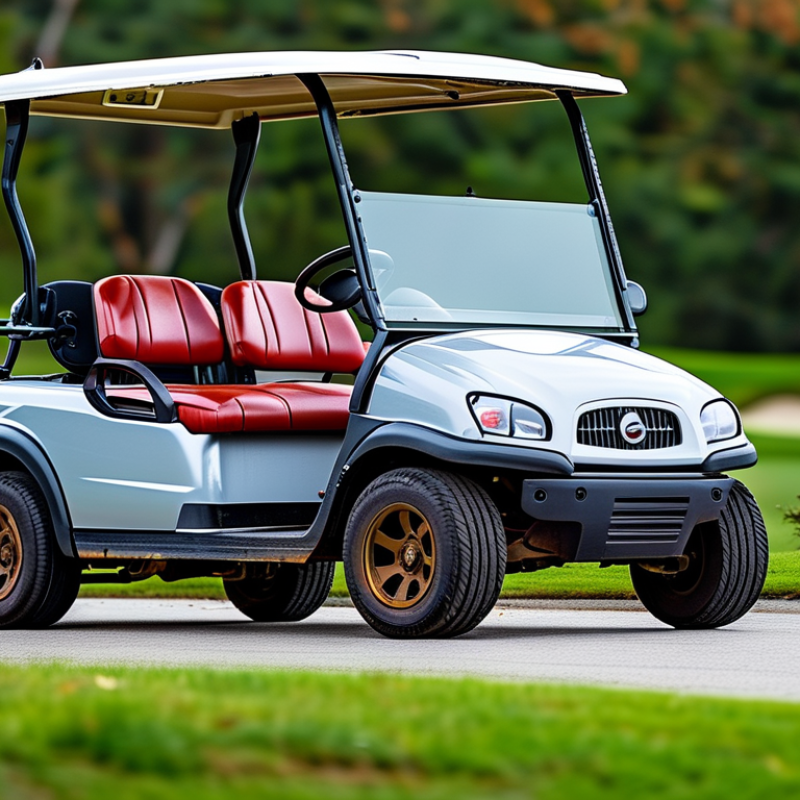
A golf cart rarely becomes slow without showing warning signs. The first clue is delayed acceleration after pressing the pedal. The motor may sound normal, but the cart crawls uphill or struggles with two passengers. This often points to weak batteries, poor connections, low tire pressure, or a restricted drive system. Check the battery indicator after a full charge, not immediately after driving.
Another common sign is reduced travel distance. A cart that once covered several miles may now need charging after a short route. Notice whether the body feels unusually warm, especially near the battery compartment or motor area. Hot cables, a burning smell, or clicking sounds require immediate inspection. Uneven movement can also reveal a failing controller, worn brushes, or loose terminals. I have seen owners blame the motor when a simple corroded connection caused the delay.
Watch for jerky starts, slow reverse speed, and a cart that improves briefly after resting. These symptoms can appear together. Tire pressure deserves attention because soft tires create heavy rolling resistance. Inspect the brakes too; a dragging brake can make the cart feel powerless. Some checks are easy, but electrical testing should follow the vehicle’s service instructions. Guessing can damage expensive components. I once overlooked a partially engaged parking brake during a basic diagnosis. That mistake was small, yet it changed the entire test result.
A golf cart often loses speed when its batteries cannot deliver steady power. In my experience, weak acceleration usually appears before a complete battery failure. Check the charge level after a full charging cycle, not immediately after driving. A low reading may indicate aging cells, poor charging, or a damaged connection.
Start with the battery terminals. Corrosion, loose cables, and cracked connectors create resistance and reduce voltage under load. Clean terminals carefully, then tighten each connection while the system is switched off. Do not guess. For lead-acid batteries, inspect fluid levels and add only the recommended distilled water when necessary. Never overfill them before charging. Lithium systems require different inspection methods, so follow the vehicle’s service instructions.
Load testing matters. A battery can show normal voltage while dropping sharply during acceleration. This test is more useful than voltage alone. Also inspect the charger plug, charging socket, and indicator lights. A charger that stops early may leave the batteries partly charged, causing slow travel and shortened range. Confirm that the charger matches the cart’s battery voltage. An unsuitable charger can create serious damage. I once focused on the motor and overlooked a loose negative cable; correcting that simple fault restored much of the lost speed. Still, battery age and repeated deep discharges may mean replacement is more practical than continued adjustment. Record charging times and voltage readings, because small patterns often reveal the real problem.
| Tip | Battery or Charging Problem | Common Symptoms | What to Check | Recommended Action | Typical Effect on Speed |
|---|---|---|---|---|---|
| 1 | Low state of charge | The cart accelerates slowly, loses power on hills, or reaches a lower top speed after extended use. | Check the battery indicator and measure the pack voltage after charging and after a short drive. | Fully charge the battery pack with the correct charger before testing performance. Avoid repeated deep discharges. | Moderate to high while the battery is discharged. |
| 2 | Aging or sulfated batteries | The cart appears charged but slows quickly under load, and the driving range is noticeably reduced. | Compare individual battery readings and observe whether voltage drops sharply during acceleration or hill climbing. | Have the complete battery pack load-tested. Replace weak batteries as a matched set when required by the system. | High during acceleration and sustained operation. |
| 3 | Incorrect charger operation | The charger stops too early, does not start, or finishes unusually quickly without restoring normal range. | Inspect the charger plug, outlet, indicator sequence, charging time, and connections. Confirm charger voltage matches the cart system. | Use a compatible automatic charger and repair damaged plugs, cables, or charging connections. Do not bypass charger safety controls. | High if the pack is consistently undercharged. |
| 4 | Loose or corroded battery connections | Power may cut in and out, cables may become warm, or the cart may slow when climbing or carrying a load. | With the system safely disconnected, inspect terminals, cable ends, nuts, and visible corrosion or heat damage. | Clean suitable terminals, tighten connections to the manufacturer’s torque specification, and replace damaged cables or connectors. | Moderate to high under heavy electrical load. |
| 5 | Low electrolyte level in flooded batteries | Reduced capacity, poor range, slow acceleration, or exposed battery plates may occur. | After charging and cooling, check electrolyte levels if the batteries are designed for maintenance. Never inspect sealed batteries this way. | Add distilled water only when appropriate, keeping the level within the battery manufacturer’s marked range. Wear eye and hand protection. | Moderate to high, especially if plates have been exposed. |
| 6 | Battery temperature or ventilation problems | Performance drops after long use, batteries feel unusually hot, or charging produces excessive heat or odor. | Check for blocked ventilation, damaged cases, abnormal heat, swelling, or unusual odor during and after charging. | Stop using visibly damaged or excessively hot batteries. Improve ventilation and arrange professional inspection before further operation. | Moderate, but potentially a serious safety concern. |
| 7 | Battery pack imbalance | The cart may charge unevenly, show inconsistent range, or slow down even when the overall pack voltage seems normal. | Measure each battery or module separately after charging and compare results under a controlled load test. | Identify and replace weak units, then verify charger compatibility and charging performance for the complete pack. | Moderate to high, depending on the weakest unit. |
Safety note: Battery testing and servicing can involve high current, corrosive electrolyte, and explosive gases. Disconnect power safely, use appropriate protective equipment, and consult a qualified technician for damaged batteries, abnormal heat, or uncertain test results.
A golf cart may run slowly when its motor, controller, or electrical system cannot deliver steady power. The motor deserves close attention. Listen for grinding, uneven humming, or a hot smell after a short drive. These signs can indicate worn brushes, damaged bearings, or internal winding problems. Check the motor cables for loose terminals and heat-darkened insulation. A clean connection matters.
The controller regulates current between the batteries and motor. If acceleration feels weak, delayed, or inconsistent, inspect its wiring and cooling surface. A technician should test input and output voltage with a suitable meter, rather than guessing from sound alone. Fault codes can help, but they are not always complete. A controller may appear normal while failing under load.
Electrical faults are often easier to miss. Measure each battery individually, then test the pack while accelerating. A sharp voltage drop suggests weak batteries, corrosion, or a poor connection. Inspect the main fuse, solenoid, ground cable, and battery terminals. Tight does not always mean healthy. Corrosion can hide beneath a tight clamp. Disconnect power before servicing, and avoid bridging terminals with metal tools. A quick battery replacement may mask the real fault. Recheck the system after repairs, because an overlooked cable can bring the same slow speed back.
A 48-volt golf cart should be inspected under load. These practical reference values help identify battery, controller, motor, throttle, and cable faults that can reduce speed.
Reference checks: a fully charged 48V lead-acid battery pack is typically near 50.9V at rest, while a significant drop toward or below 42V under acceleration suggests weak batteries or high resistance. Throttle position sensors commonly operate across an approximately 0.5–4.5V signal range. Excessive cable resistance, controller faults, or motor damage can also restrict current and reduce speed.
A golf cart may run slowly when its wheels are fighting hidden resistance. A weak battery is not always the main problem. During a workshop inspection, I check whether each wheel spins freely after the cart is safely lifted. One stiff wheel can reduce speed noticeably, especially on level ground.
Dragging brakes are a common cause. A tight cable, seized caliper, or misadjusted shoe may keep rubbing the drum. Look for a hot brake area or a sharp friction smell after a short drive. Tire pressure also matters. Underinflated tires flatten against the pavement and demand more motor effort. Uneven tread wear can suggest poor alignment, a bent wheel, or a damaged suspension part.
Wheel bearings deserve attention. Grinding sounds, side-to-side movement, or a wheel that stops too quickly can indicate bearing wear. Mud, grass, and small stones may also collect near the axle or brake assembly. Remove the obstruction only after shutting off the power and securing the cart properly. A quick spin test can mislead me; some faults appear only under load. I once overlooked slight tire rubbing because the wheel moved freely while raised. Check clearance with the cart resting normally, then inspect again after a short, careful test.
A golf cart may run slowly because of weak batteries, poor connections, low tire pressure, or a stressed motor. Start with the battery compartment. Check electrolyte levels only on serviceable batteries, and inspect terminals for white corrosion or loose cables. Clean connections carefully, then charge the battery fully with the correct charger. A partial charge can create a misleading diagnosis. Measure each battery with a suitable meter, because one weak unit can reduce the entire pack’s performance. Do not guess.
Next, check tire pressure against the vehicle’s recommended setting. Underinflated tires increase rolling resistance, especially on grass or slopes. Inspect the accelerator pedal, cables, and direction switch for sticking or delayed movement. Examine the motor area for unusual heat, burnt smells, or damaged wiring. Let it cool first. A clogged air path can also trap heat and reduce output. If the cart has a speed controller, testing requires electrical knowledge and proper insulated tools. Never bypass safety switches or operate exposed wiring casually.
Load matters too. Remove unnecessary equipment and test the cart on level ground with one driver. If it improves, weight or terrain may be the real cause. Record the cart’s speed, battery voltage, tire pressure, and test conditions. That small record helps reveal patterns. I once blamed the motor too quickly; the real problem was a loose terminal. If charging remains slow or voltage drops sharply under load, have a qualified technician inspect the batteries, controller, and motor. Random parts replacement wastes money.
: Weak batteries may deliver unstable power. The cart often slows before complete battery failure.
No. Charge the batteries fully first. Then measure voltage after the charging cycle ends.
Check terminals, cables, and connectors. Look for white corrosion, looseness, or cracks. Small faults matter.
Yes. A battery may show normal voltage without load. During acceleration, its voltage can drop sharply.
Low pressure increases rolling resistance. The effect becomes clearer on grass, slopes, or rough paths.
A charger may stop early. The batteries then remain partly charged, reducing speed and driving range.
Check for unusual heat, burnt smells, blocked airflow, or damaged wiring. Let the motor cool first.
Remove extra equipment and drive on level ground with one person. If speed improves, load or terrain may be involved.
Not usually. Record speed, charging time, voltage, tire pressure, and test conditions. Random replacement wastes money.
Seek qualified help when charging stays slow or voltage collapses under load. Electrical testing needs suitable tools and knowledge.
What causes a golf cart to run slowly? Several issues may be responsible, including weak acceleration, reduced hill-climbing ability, unusual hesitation, or a noticeable drop in travel speed. Battery problems are among the most common causes. Low charge, aging batteries, poor connections, or an ineffective charger can limit the power available to the cart. Checking the battery condition, charging cycle, terminals, and cables is an important first step.
If the batteries appear healthy, inspect the motor, controller, wiring, and other electrical components for overheating, damage, or loose connections. Mechanical resistance can also reduce performance when tires are underinflated, brakes drag, wheel bearings are worn, or the alignment is incorrect. To restore normal operation, fully charge the batteries, clean and tighten connections, check tire pressure, release any dragging brakes, and examine the drive system carefully. If the problem continues, professional testing can identify hidden electrical or mechanical faults before further damage occurs.

E-par Golf Cart